Showing posts with label Planning. Show all posts

Tuesday, June 5, 2012

Trouble for T-PEN: Known Issues and a Request for Feedback

At T-PEN, we spend lot of our time recently trying to keep up with the rapid development of modern web browsers. Transcription and parsing within a web browser is accomplished through a complex set of interactions that can lead to some frustrating problems when it does not behave as expected. Please read below for some known issues and how to provide the best feedback when you find problems we might not know about.

Known Issues

  • Firefox focus - Recent versions of Firefox will not move the cursor automatically from one line to another when using keystrokes (Tab, Enter) or the mouse (Next Line buttons, clicking within the full page image). The interface updates correctly, showing the correct line, but the user must click within the textarea to begin typing.
  • Chrome focus - Some installations of Chrome suffer the same problems as Firefox above, especially on Mac computers.
  • Safari pageLoad - As mentioned in a previous post, when the transcription environment is first loaded in Safari, the textarea is missing altogether. After some awkward acrobatics (outlined in previous post), the page behaves appropriately, but still needs to be reset each time a new page loads.
  • Opera display - Opera reports slightly different sizes for on-screen elements than other browsers causing a minor (1 or 2 pixel) displacement for lines and boundaries, causing small gaps in the parsing tool or minor shifts in position indications when transcribing. This does not have a significant effect under normal use. Though the issue is known and some corrections are already in place, there is more work being done.
  • JavaScript errors - Several users have reported alerts or errors from the browser indicating that a particular script has broken or is trapped in an infinite loop. In cases where we have been able to repeat the problem, it was a simple and quick fix, but as these are inconsistent, we rely on feedback to begin looking for solutions.

Important Feedback

If something peculiar happens when you are using T-PEN, let us know.

How to Report
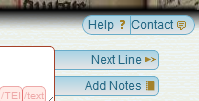
The "Contact" button
At the top right of the transcription workspace, there is a button labeled "Contact" which will send the user to the Account Management page, where a contact form is available. Options include Ask a Question, Suggest a Feature, or Report a Bug.

When reporting a bug, please include as much information as possible. At a minimum, try to provide the URL from the address bar of your browser, which will often include identifying information about the page and project you are accessing. Other helpful information includes:
  • description of what failed or is broken - describe what happened and what you had expected to happen;
  • text of any error messages displayed - exact messages are the most helpful;
  • steps to repeat the problem - if you can make it happen repeatedly, it is the most likely to be fixed quickly;
  • operating environment - the operating system and version of browser will help narrow down the scope of problems; and
  • anything additional - if you have screenshots of the problem or have logs of the JavaScript errors... more information is always better.
*We may contact you about your report to get more information or let you know about a possible fix. If this contact is unwelcome, please let us know in the initial report.

What to Report

In a tool such as T-PEN, the threshold for reporting can be a challenge for the user. A good rule of thumb is this: 
If the tool does not behave as you expect, let us know what you expected.
Many of the features of T-PEN entered the workflow as bug reports from users who expected that it would be simple to move the workspace around the screen or keep a reminder to close XML tags. Most reports will fall into these categories:
  • T-PEN is Broken - There is an error message or erratic behavior. The display may fail to put an image on the screen or make room for a tool with no content.
  • This is frustrating - Errors such as the vanishing cursor (above) don't break the tool, but can lead to extra steps to complete work. By reporting these, we can either address a bug or start work on a needed feature.
  • What happened? - Sometimes, there seems to be no cause, but something has gone wrong. Perhaps a folio transcribed the previous day turns up blank today or the text you were linebreaking before lunch looks corrupted when you returned to your work.
  • I wish T-PEN could... - This is the most popular report and it may be a new repository to court or external tool to integrate. These invaluable suggestions make sure that T-PEN remains relevant for the most people.

Conclusion

My First Sandbox Environment
Throughout our development, our team has relied upon the input of real scholars doing real work. We understand the importance of communicating what we are working on so every user can work confidently, without fear of data or software abandonment. We not only welcome feedback - we require it. We invite you to leave a comment below, contact us on the website, or even (if you happen to be in Saint Louis, or run across a member of the team at large) tell us in person.

My name is Patrick Cuba and I am responsible for making your interaction with t-pen.org intuitive, reliable, and consistent. I check the reports every day, or you can write to me at cubap@slu.edu.

Friday, February 17, 2012

Re-Tooling T-PEN's Logo

As we get ready for the last stage of T-PEN's planned development, Patrick Cuba, T-PEN's GUI developer has been re-designing our logo.  He was assigned this task not only because he has greater artistic talent than Jim Ginther and Abigail Firey (who developed the initial logo), but also there was a lack of clarity about the IPR of the old T-Rex image itself.  We are therefore very pleased to headline our new logo here.


Our mascot holds both quill and scroll as he surges ahead ready to consume any and all manuscripts with scholarly mastication!  This image will sit on T-PEN's landing page with the next release due at the end of February 2012.

All other pages will have a more modest image:


The T-Rex image has been licensed from Mineo Shiraishi at dinosaurcentral.com .  The background image is from Cambridge, Corpus Christi College, MS 415, p. 171.


Monday, October 17, 2011

Countdown to the Launch of T-PEN Beta (1.0)

For the last few weeks, we have been focusing on some pretty heavy debugging and some basic housekeeping as we prepare for the beta release of T-PEN.  The launch date is now set for Monday, 24 October 2011.  So now you can set your watches and calendars.

Preparation for the beta release has included:
  1. We have migrated T-PEN to a virtual server in the Network Services of Saint Louis University.  T-PEN had always run in a virtual environment--in a linux box sitting on our Windows server.  This started producing dropped connections, so much so that many of the javascript calls on the JSP pages were never completed.  Now we are running on virtual linux server and the quality of service has increased significantly. 
  2. We have automated our build procedure, and so regular builds will be pushed automatically (still allowing for manual builds to fix critical bugs) on a daily basis to the test-bed and then weekly to the live version. 
  3. We've developed a user reporting system that will be accessible on each page of T-PEN. Users will be able to report a problem (bug), suggest a new feature, ask a question and/or suggest a new repository for T-PEN users.  All these user-reported issues will be fed automatically into our bug-reporting and software management system.
  4. We have restructured our data store in a way that tightens the relationship between the image coordinates of a line and any transcription a user enters.  This new data structure will provide greater flexibility in line parsing adjustments and will further ensure data is never lost when a user modifies how a manuscript page is parsed. 
  5. We have reduced the number of individual pages that enabled T-PEN's functionality.  We are nearly at the point that the Transcription UI is becoming an "application window."  Manual line parsing and the line breaking of existing transcription text are now integrated into the Transcription UI.  The also means the codebase executes faster, and there is a more streamlined way to update the data store.
This is all in addition to the continual acts of bug-discovery and bug-fixing!  

Stay tuned for more updates as we head towards T-PEN 1.0.

Monday, December 13, 2010

How Do You Transcribe?

As the planning and development of T-PEN begins to take practical shape and form, I have begun to think about my transcription methodology – the manner in which I have transcribed manuscripts in the past – and the implications of this for T-PEN’s User Interface and the issue of usability.

Transcription is a very practical activity, and it is usually something I have done rather than thought too deeply about. However, when I sat back and reflected on my methodology, I noticed that I tend to take advantage of the digital medium and work from digitized manuscripts, with copies of all the manuscripts containing the text open on my computer as I transcribe. Furthermore, I tend to work by sense-unit, transcribing a few short words from my base manuscript and then checking this reading against all the other manuscripts before I move on to the next unit of text. In effect, I transcribe only one manuscript and collate, sense-unit by sense-unit, as I transcribe.

I am certainly not claiming that this is the ideal method of transcription, but it struck me that it is quite different from the traditional approach of transcribing the entire text from one manuscript, then moving to the next manuscript and transcribing or collating the entire text once again. Of course this approach originally resulted from the fact that the requisite manuscripts were often housed in different libraries, making it impossible to compare all the manuscripts as one transcribed. This situation certainly changed with the advent of microfilm and other methods of reproduction, but it has been transformed radically with the arrival of digitization.

Nonetheless, the basic paradigm around which we have built the T-PEN prototype is still the old approach of transcribing the entire text one manuscript at a time. My reflections on my own practices have demonstrated that there are clearly other ways of transcribing a text; and T-PEN will be a far better tool if it is adaptable to the user’s preferred approach to transcription, whatever that may be.

As a result we are currently considering whether we should enable users to move between different manuscripts as they transcribe and/or facilitate other transcription techniques. I would therefore like to invite you to reflect on your own approach to transcription and on what kind of digital tool would best fit your preferred practices. How flexible or rigid would you like such a tool to be: should it provide a variety of options or be based on what we consider best practice? Even more fundamentally: what is your own transcription methodology – exactly how do you transcribe? All comments welcome below!

(Manuscript images from the e-codices collection and Codices Electronici Ecclesiae Coloniensis. Used in accordance with conditions of use.)

Tuesday, November 9, 2010

Recruiting a GUI Web Developer

T-PEN is currently advertising for a GUI Developer.  The advertisement is posted online and applications must be submitted online at jobs.slu.edu

Here are the basic details:


Web Developer (Theological Studies)
JOB DESCRIPTION
Job Summary: Under general direction, assists in the creation and deployment of a web-based digital tool for scholars working with digital images of unpublished manuscripts; performs Graphical User Interface (GUI) related duties with responsibility for the user interface.
CHARACTERISTIC JOB TASKS AND RESPONSIBILITIES
May include any and/or all of the following:

  1. Participates as a member of a design team, working with the senior developer, project directors, and other personnel.
  2. Designs a set of user-centered, interactive Web pages to integrate various APIs that will comprise the digital tool.
  3. Contributes to testing and bug tracking of various iterations of the digital tool.
  4. Responds to formal usability testing and makes appropriate changes in implementation.
  5. Oversees the Center's Web pages and ensures they are up to date and functional.
  6. Performs other duties as assigned.
KNOWLEDGE, SKILLS, ABILITIES AND PERSONAL CHARACTERISTICS
  • Knowledge of Web development, applications, and technology
  • Knowledge of HTML/CSS and Javascript
  • Knowledge of programming and graphic design
  • Project management skills
  • Interpersonal/human relations skills
  • Written and verbal communication skills
  • Ability to provide site management solutions
  • Ability to perform work that is technically oriented, working on various platforms, including Microsoft and Apple
  • Ability to recognize trends in Web development
  • Ability to maintain confidentiality
MINIMUM QUALIFICATIONS
Education and experience equivalent to:
Bachelor's degree; supplemented with two (2) years related work experience

T-PEN's image

Branding in Digital Humanities is important, since it helps users easily identify a specific tool or methodology--especially if that tool interoperates or can be integrated into larger frameworks.  At T-PEN, we've started thinking about this, and a more serious attempt at branding our tool will be done in the next few months. For now, we offer this basic image

.

Wednesday, October 20, 2010

T-PEN Strategy Meeting


Yesterday the core design team for T-PEN met to plan out the work flow for the next 18 months. We worked through a hefty agenda that took almost six hours to complete, but we covered everything! That included a terrific "on the fly" schematic outline of T-PEN's basic functionality that Jon Deering, T-PEN's senior developer, put on the white board (right). It was exciting to start talking about the practical realities of a project we've been dreaming about for a few years now.

We've got lots to do, but there is going to be some fun work ahead.