Several recent posts and notices have explained trouble we've had with our T-PEN interface. Today the team was happy to push an out-of-cycle update to restore functionality for all browsers and implement some minor feature improvements. If your experience seems unimproved, you may need to clear the cache on your browser.
Thank you for your patience as we continue to improve the user experience.
Tuesday, June 19, 2012

Tuesday, June 5, 2012
Trouble for T-PEN: Known Issues and a Request for Feedback

Known Issues
- Firefox focus - Recent versions of Firefox will not move the cursor automatically from one line to another when using keystrokes (Tab, Enter) or the mouse (Next Line buttons, clicking within the full page image). The interface updates correctly, showing the correct line, but the user must click within the textarea to begin typing.
- Chrome focus - Some installations of Chrome suffer the same problems as Firefox above, especially on Mac computers.
- Safari pageLoad - As mentioned in a previous post, when the transcription environment is first loaded in Safari, the textarea is missing altogether. After some awkward acrobatics (outlined in previous post), the page behaves appropriately, but still needs to be reset each time a new page loads.
- Opera display - Opera reports slightly different sizes for on-screen elements than other browsers causing a minor (1 or 2 pixel) displacement for lines and boundaries, causing small gaps in the parsing tool or minor shifts in position indications when transcribing. This does not have a significant effect under normal use. Though the issue is known and some corrections are already in place, there is more work being done.
- JavaScript errors - Several users have reported alerts or errors from the browser indicating that a particular script has broken or is trapped in an infinite loop. In cases where we have been able to repeat the problem, it was a simple and quick fix, but as these are inconsistent, we rely on feedback to begin looking for solutions.
Important Feedback
If something peculiar happens when you are using T-PEN, let us know.
How to Report
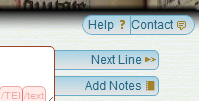 |
| The "Contact" button |
At the top right of the transcription workspace, there is a button labeled "Contact" which will send the user to the Account Management page, where a contact form is available. Options include Ask a Question, Suggest a Feature, or Report a Bug.
When reporting a bug, please include as much information as possible. At a minimum, try to provide the URL from the address bar of your browser, which will often include identifying information about the page and project you are accessing. Other helpful information includes:
- description of what failed or is broken - describe what happened and what you had expected to happen;
- text of any error messages displayed - exact messages are the most helpful;
- steps to repeat the problem - if you can make it happen repeatedly, it is the most likely to be fixed quickly;
- operating environment - the operating system and version of browser will help narrow down the scope of problems; and
- anything additional - if you have screenshots of the problem or have logs of the JavaScript errors... more information is always better.
*We may contact you about your report to get more information or let you know about a possible fix. If this contact is unwelcome, please let us know in the initial report.
What to Report
In a tool such as T-PEN, the threshold for reporting can be a challenge for the user. A good rule of thumb is this:
If the tool does not behave as you expect, let us know what you expected.
Many of the features of T-PEN entered the workflow as bug reports from users who expected that it would be simple to move the workspace around the screen or keep a reminder to close XML tags. Most reports will fall into these categories:
- T-PEN is Broken - There is an error message or erratic behavior. The display may fail to put an image on the screen or make room for a tool with no content.
- This is frustrating - Errors such as the vanishing cursor (above) don't break the tool, but can lead to extra steps to complete work. By reporting these, we can either address a bug or start work on a needed feature.
- What happened? - Sometimes, there seems to be no cause, but something has gone wrong. Perhaps a folio transcribed the previous day turns up blank today or the text you were linebreaking before lunch looks corrupted when you returned to your work.
- I wish T-PEN could... - This is the most popular report and it may be a new repository to court or external tool to integrate. These invaluable suggestions make sure that T-PEN remains relevant for the most people.
Conclusion
 |
| My First Sandbox Environment |
Throughout our development, our team has relied upon the input of real scholars doing real work. We understand the importance of communicating what we are working on so every user can work confidently, without fear of data or software abandonment. We not only welcome feedback - we require it. We invite you to leave a comment below, contact us on the website, or even (if you happen to be in Saint Louis, or run across a member of the team at large) tell us in person.
My name is Patrick Cuba and I am responsible for making your interaction with t-pen.org intuitive, reliable, and consistent. I check the reports every day, or you can write to me at cubap@slu.edu.
Sunday, May 6, 2012
JavaScript Bug in Safari 5.1.5
 Update: The latest Safari release 5.1.7 still has these issues. The T-PEN team is hard at work finding a more graceful solution for our Safari users. A separate update to T-PEN, however, means that once you have restored the interface, all the tools will work correctly.
The T-PEN development team has confirmed that there is a bug in the latest release of Safari, causing previously working pages to stop working. It seems that it can break sites that use some versions of java applets entirely, but is more frustrating on sites like T-PEN where piecemeal failures interrupt expected behaviors without offering fair warnings. In this case, Safari displays the image for transcription without any regions for text entry or functional tools.
In most installations, Safari updates automatically with no simple ability to rollback. The 5.1.5 release (beginning March 26) on Mac and Windows contain this bug. Since the applications update on a staggered schedule, it would be at some point over the following few weeks that the transcription page would stop displaying correctly. This has been the principal reason why it has taken us a while to determine the problem: being able to repeat a problem is essential in diagnosing it.
We are working on some fixes, and we hope in the same way that Apple quickly released 5.1.5 to fix problems with 5.1.4 (released March 12) they will fix this as well.
Chrome and Firefox still behave correctly. If switching browsers is an option, it is the best solution at this time. T-PEN is designed to function in all modern browsers and we are addressing this problem as a priority.
In the interim, this somewhat clunky workaround will restore full functionality, though the process must be repeated on each page.
Chrome and Firefox still behave correctly. If switching browsers is an option, it is the best solution at this time. T-PEN is designed to function in all modern browsers and we are addressing this problem as a priority.
In the interim, this somewhat clunky workaround will restore full functionality, though the process must be repeated on each page.
- Load up your page to transcribe;
- Click on a tool and immediately press the ESC key;
- Right after you click on the tool, you should see the bar that splits the screen on the far right - you'll need to hit ESC before the bar fades out again
- If successful, you will see a split screen with the right side completely blank - the left side will show the correct display
- Press ESC again to restore the screen to full size - clicking the tools will now behave correctly.
If you notice other bugs or display issues as you are using T-PEN, please let the team know by logging into T-PEN and clicking on the Contact Us link on the transcription or home pages. Regular bug fixes are explained in periodic release notes; updates to this issue will be posted here as well.

Saturday, May 5, 2012
T-PEN version 2.0
T-PEN reached a milestone this month by releasing version 2.0 at www.t-pen.org. We've debugged over 600 bugs during the last 18 months and have added numerous features. For this release, we offer four substantial new features:
1. Users can now upload their own image set for transcriptions. These sets must be comprised of jpeg files and have to be zipped together. This kind of project is automatically designated as private. The manuscript shelf mark is not listed in T-PEN's catalog and the project leader can add a maximum of five additional users to the project. The images are hosted on T-PEN under the terms of the Fair Use section of the US Millenium Copyright Act. To upload your images, select the "Advanced' tab on the landing page and follow the instructions.
2. T-PEN now fully supports crowd-sourcing projects. These projects can be fully public (so both the project attributes and content can be modified by anyone) or have limited access. These projects are listed under the "Public Projects" tab on the landing page. Any project can be designated as public using the options in the Project Management page. All projects that have been T-PEN use cases at the the Center for Digital Theology will be listed as public projects (content will be readable only).
3. T-PEN has been providing access to support tools for transcribers. These tools are available on a split screen display. To date we have provided access to various language dictionaries, a dictionary of Latin abbreviations, and the Latin Vulgate Bible. We know that soon many T-PEN users will want tools for transcribing manuscripts that are not pre-modern Latin. To that end, T-PEN now permits users to identify a URL for a tool that a user may want to have displayed. Under the "options" tab on project management, a user can add the name and the URL of the tool and that will be added to the buttons on the Transcription User Interface. Please note: Users should be aware that this "i-frame" set up does provide full browser functionality. If you are using a tool which requires authentication in advance (especially if it is via an institutional proxy), we recommend you establish the authentication first in that browser before loading that tool. You can do this by loading the tool in anther tab and completing the authentication process (login, etc.). When T-PEN is loaded in the same browser, but different tab, that authenticiation will persist.
4. The final feature is experimental: Glyph matching, a palegraphical analytical tool into T-PEN. This tool will compare the page you have in the Transcription UI to other pages of that MS. At present, this tool only compares to pages that are in T-PEN's image cache, and so the entire manuscript will not be part of the comparison process. As we develop this tool and increase the speed of the comparative work, full page to manuscript comparison will become available. At present, T-PEN compares glyph to glyph. Sometimes that will be individual letters, sometimes that will be ligatures or letters written very close together. Matches are hightlighted in blue. If you click on them, you will see a list of the matches on other pages. Clicking on any those thumbnail images will take you to the originating page so you can see that glyph in context. It is our aim that this tool will facilitate analysis of changes in hand in a manuscript and eventually be way to build data sets that demonstrate common hands in two or more manuscripts. The tool will be heavily developed over the Summer of 2012.
1. Users can now upload their own image set for transcriptions. These sets must be comprised of jpeg files and have to be zipped together. This kind of project is automatically designated as private. The manuscript shelf mark is not listed in T-PEN's catalog and the project leader can add a maximum of five additional users to the project. The images are hosted on T-PEN under the terms of the Fair Use section of the US Millenium Copyright Act. To upload your images, select the "Advanced' tab on the landing page and follow the instructions.
2. T-PEN now fully supports crowd-sourcing projects. These projects can be fully public (so both the project attributes and content can be modified by anyone) or have limited access. These projects are listed under the "Public Projects" tab on the landing page. Any project can be designated as public using the options in the Project Management page. All projects that have been T-PEN use cases at the the Center for Digital Theology will be listed as public projects (content will be readable only).
3. T-PEN has been providing access to support tools for transcribers. These tools are available on a split screen display. To date we have provided access to various language dictionaries, a dictionary of Latin abbreviations, and the Latin Vulgate Bible. We know that soon many T-PEN users will want tools for transcribing manuscripts that are not pre-modern Latin. To that end, T-PEN now permits users to identify a URL for a tool that a user may want to have displayed. Under the "options" tab on project management, a user can add the name and the URL of the tool and that will be added to the buttons on the Transcription User Interface. Please note: Users should be aware that this "i-frame" set up does provide full browser functionality. If you are using a tool which requires authentication in advance (especially if it is via an institutional proxy), we recommend you establish the authentication first in that browser before loading that tool. You can do this by loading the tool in anther tab and completing the authentication process (login, etc.). When T-PEN is loaded in the same browser, but different tab, that authenticiation will persist.
4. The final feature is experimental: Glyph matching, a palegraphical analytical tool into T-PEN. This tool will compare the page you have in the Transcription UI to other pages of that MS. At present, this tool only compares to pages that are in T-PEN's image cache, and so the entire manuscript will not be part of the comparison process. As we develop this tool and increase the speed of the comparative work, full page to manuscript comparison will become available. At present, T-PEN compares glyph to glyph. Sometimes that will be individual letters, sometimes that will be ligatures or letters written very close together. Matches are hightlighted in blue. If you click on them, you will see a list of the matches on other pages. Clicking on any those thumbnail images will take you to the originating page so you can see that glyph in context. It is our aim that this tool will facilitate analysis of changes in hand in a manuscript and eventually be way to build data sets that demonstrate common hands in two or more manuscripts. The tool will be heavily developed over the Summer of 2012.
Friday, February 17, 2012
Re-Tooling T-PEN's Logo
As we get ready for the last stage of T-PEN's planned development, Patrick Cuba, T-PEN's GUI developer has been re-designing our logo. He was assigned this task not only because he has greater artistic talent than Jim Ginther and Abigail Firey (who developed the initial logo), but also there was a lack of clarity about the IPR of the old T-Rex image itself. We are therefore very pleased to headline our new logo here.

Our mascot holds both quill and scroll as he surges ahead ready to consume any and all manuscripts with scholarly mastication! This image will sit on T-PEN's landing page with the next release due at the end of February 2012.
All other pages will have a more modest image:


Our mascot holds both quill and scroll as he surges ahead ready to consume any and all manuscripts with scholarly mastication! This image will sit on T-PEN's landing page with the next release due at the end of February 2012.
All other pages will have a more modest image:

The T-Rex image has been licensed from Mineo Shiraishi at dinosaurcentral.com . The background image is from Cambridge, Corpus Christi College, MS 415, p. 171.
Thursday, February 9, 2012
Release Notes for T-PEN v1.3
Release Date: 5 February 2012
Contact: ginthej@slu.edu
Site: t-pen.org
Site: t-pen.org
Bug Fixes in T-PEN v.1.3
Transcription UI:
- Restored the ability to zoom into a line with SHIFT + CTRL
- Resolved issue with some XML tags entering the Transcription stream without the angle brackets surrounding them or missing parameters
Linebreaking UI:
- Corrected some encoding issues which did not render non-alphanumeric characters as intended. Files of the .xml and .txt format can now be read and linebroken correctly.
- Now checks filename extensions to warn against uploading .doc and .docx files
Project Management:
- Resolved naming issue that prevented buttons from saving correctly if they had been reordered.
- Resolved an issue that was preventing private collections hosted by TPEN from modifying image names by the manuscript's administrator.
New Features
Project Management:
1. Export: User's first and last names are included with the exported information when submitted to a QENI Conduit.
2. Button Management: When a user enters an invalid XML tag name in the tag field, a warning flag will alert the user of the rule being violated. It does not prohibit the use of invalid tag names, in case XML validation is not important to the user.
3. Image Sequencing: Updates:
o Select All & Invert Selection buttons
o Compact list of pages with meaningful and color-clarified titles
o Click to select, shift-click to select groups
o Context-relevant controls in the middle for replacing, holding, or discarding groups of images
o Always visible options to discard, hold, or preview images
Transcription UI:
1. Display: A narrow workspace will display a condensed version of the transcription tool which features icons in place of buttons and navigation. If the browser window is widened or an oversized tool is closed, the workspace will return to normal.
2. Lost Connection: if a connection to T-PEN is lost because of a session timeout, a server failure, or other communication issue, the page will alert the user to the problem and interrupt work that cannot be saved. In most cases, simply logging back in will allow the user to continue where they left off.
3. New Annotation Tool: With the new Annotation Tool, users can create or update simple annotations on any project image. The Tool permits users to draw a rectangle around a significant area on a manuscript image and attach a text-only annotation. .
Tuesday, January 3, 2012
Release Notes for T-PEN v1.2
Release Date: 5 January 2012
Contact: ginthej@slu.edu
Site: t-pen.org
Bug Fixes Implemented in T-PEN v1.2
Transcription UI:
Linebreaking Tool:
New Features in T-PEN v1.2
Visual Cue for Closing Tag Proximity (Transcription UI): Closing tags originating on previous pages are faded to indicate their distance from the current line of transcription.
Transcription Preview: The preview tool now applies a simple color filter to <tags> to allow for a more clear view of your transcription.
New Project Option Tools: Users can now add a French/English dictionary, a dictionary for Middle English and the Dictionary of Old English (subscription required). User can select which tools will be available in the Transcription UI’s i-frame. All tools can also be renamed by the user on the project management page.
Exporting Transcriptions: When exporting xml, users can now select or deselect all the tags for inclusion at once.
Line History (Versioning): T-PEN now distinguishes between all versions of any transcription line. Users can view previous versions of a given line. A change in a line is defined as addition or deletion of a single character (including white space) or modifications to the line parsing coordinates. A previous version can be selected to replace the current version. All versioning activity is recorded in the project log, which can be viewed on the project management page under the Collaboration tab.
Contact: ginthej@slu.edu
Site: t-pen.org
- Corrected a math error in the handling of oversized lines that led to incorrect bounding by the interface especially for the last line of a column or page.
- “Changes Saved” message was obscuring manuscript image and could not be dismissed. Now, if the “Changes Saved” message does not leave of its own accord, a mouseover will dismiss it.
Transcription Preview:
- Resolved problem with preview tool not showing latest edits and also added real-time updating to preview tool, even if the tool is currently open.
- Preview tool now remains in sync with the transcription, even when lines are added or deleted with the parsing tool.
Linebreaking Tool:
- Corrected issue with the linebreaking tool that prevented the insertion of text when some button sequences were used.
- Corrected issue that triggered the parsing tool when a page image was loaded. T-PEN had previously checked to see if the first line contained data; now all possible lines are checked for content.
New Features in T-PEN v1.2
Transcription UI: The previous line text will scale to the size of the screen. When on the first line of the page, available text from the last line of the previous page will be shown.
Visual Cue for Closing Tag Proximity (Transcription UI): Closing tags originating on previous pages are faded to indicate their distance from the current line of transcription.
Transcription Preview: The preview tool now applies a simple color filter to <tags> to allow for a more clear view of your transcription.
New Project Option Tools: Users can now add a French/English dictionary, a dictionary for Middle English and the Dictionary of Old English (subscription required). User can select which tools will be available in the Transcription UI’s i-frame. All tools can also be renamed by the user on the project management page.
Exporting Transcriptions: When exporting xml, users can now select or deselect all the tags for inclusion at once.
Line History (Versioning): T-PEN now distinguishes between all versions of any transcription line. Users can view previous versions of a given line. A change in a line is defined as addition or deletion of a single character (including white space) or modifications to the line parsing coordinates. A previous version can be selected to replace the current version. All versioning activity is recorded in the project log, which can be viewed on the project management page under the Collaboration tab.
Thursday, December 22, 2011
T-PEN Takes a Holiday

Requests for new T-PEN accounts may not be answered until 2 January 2012 as well.
The entire T-PEN staff wish all of their colleagues and friends a very Merry Christmas. See you on the other side of the New Year.
Jim Ginther
Abigail Firey
Jon Deering
Patrick Cuba
Alison Walker
Tomas O'Sullivan
Wednesday, November 30, 2011
Release Notes for T-PEN v1.1
Image Parsing:
- Fixed a blank screen when the line parser fails to find any lines. Now a single full page line is generated so the user can build good column bounds and detect or manually add the lines.
- Modified the parsing methods to better handle the images from the e-codices and CEEC repositories.
- Fixed an issue where the internal image fetch was not using the standard method when re-parsing columns, which caused Assisi images to not be fetched correctly.
- Fixed an issue with export by page range where if there was no text on the first page specified in the range, no text would be exported.
Project Management:
- Fixed a potential error if a project was deleted, then the identity of the first page is requested.
- T-PEN now checks to see if user is a member of requested project to prevent blue page response.
- Fixed an issue where a temporary storage location was not always deleting correctly, which caused button copying between projects to fail intermittently.
- Corrected reference to Special Characters that used user-defined characters instead of those within the project.
Transcription User Interface
- Corrected an issue with image ordering in dropdowns for certain image name formats.
- Fixed an issue which resulted in duplicates of some XML buttons being displayed in the transcription UI.
Landing Page:
- Corrected sizing of popover to impose scrollbars when there too many manuscripts to fit on the screen (Firefox issue).
T-PEN Administration
- Corrected error in JavaScript escaping that prevented multi-line archive messages from appearing.
New Features Implemented in T-PEN v1.1
Zoom Tool in Transcription User Interace: Holding CTRL+SHIFT will result in a magnified image of the current line being transcribed.
Magnifying Tool in Full Page View: Click on "Magnify" button at the top right of the browser window and a magnifying glass tool will appear as the mouse pointer. Click on the same button to dismiss the tool. The magnifying tool is also available in the Compare Page feature.
Create a Project “Pipeline” to the outer world: In partnership with The Carolingian Canon Law Project (CCL), T-PEN developed a model for enabling users working on transcription projects in T-PEN to export their work to a larger, external project. In this instance, the CCL prepared for T-PEN an XML-markup template (XML button set) that may be used for all transcriptions destined for the CCL database. Users identify their T-PEN projects as destined for the CCL, and when the transcription is complete, they can submit it from T-PEN to the CCL project. The CCL receives notification of the stable URL in T-PEN that the CCL can (either manually or by automation) use to extract the designated transcription from T-PEN’s data store. Other projects interested in creating their own pipeline should contact T-PEN via t-pen.org
T-PEN Administration: T-PEN administrator can now clear registration requests that have not been approved (ones that were mostly generated through internal testing).
Features In Development for T-PEN v1.2
Search: Ability to search across the T-PEN data-store. A query returns images of lines and not any transcription (although it is the transcription itself that is searched). Returns will also identify the transcriber.
Transcription history (versioning): T-PEN will store each version of a transcription line, and users can display the history of any line and replace the current version with an older one. Versions of lines include changes in any character data (including changes to encoding tags and whitespace changes) as well as adjustments to the parsing. Replacement options will also include replacing a selected line, all transcription on a given page, or even the entire project based on a given date/time stamp.
Language Tools for Medieval Vernacular Languages: Online-dictionaries for Old English, Middle English, medieval French and medieval German will be available as i-frame tools in the Transcription UI. Users will also be able to select which language tools they would like to have for a project.
Wednesday, November 9, 2011
Michael
Greetings! I’m Michael Elliot, a PhD candidate at the Centre for Medieval Studies at the University of Toronto, where I study Anglo-Saxon canon law. I am currently involved in a number of editorial projects related to this subject, foremost among these being a new edition of the Excerptiones Pseudo-Ecgberhti, a mercurial and textually anarchic canon law collection compiled (in at least five versions) by Archbishop Wulfstan of York in the early decades of the eleventh century.
I come to T-PEN via the Carolingian Canon Law Project. I have been involved with CCL since 2009 preparing transcriptions of early medieval canon law collections and working with Dr. Abigail Firey and her team to develop a system of XML mark-up to describe these collections. As a participant in the CCL I was involved early on in experiments with producing CCL-conformant transcriptions using T-PEN. It has been exciting to witness how T-PEN has developed and improved over just this last year, becoming an ever easier and more enjoyable tool to use. Over the next six months I will be helping to further test T-PEN as the project moves into beta release. In addition to preparing transcriptions of a variety of canonical manuscripts within T-PEN, I will be experimenting with introducing structural mark-up into a T-PEN transcription “in real time”, as well as testing the functionality of importing transcriptions into, and exporting transcriptions out of T-PEN for incorporation into the CCL’s database.
The advantages of transcribing texts within the T-PEN environment are becoming clearer and more numerous the more I work with the project. I am especially enthusiastic about the partnership between T-PEN and the CCL because these projects are developing new and exciting ways of approaching the previously intractable problem of editing texts whose textual tradition defies a recensionist methodology. My own pet project, Wulfstan’s Excerptiones, is such a text, and I hope one day to take advantage of the tools developed by T-PEN and the CCL to prepare an edition of this difficult and misunderstood work.
I come to T-PEN via the Carolingian Canon Law Project. I have been involved with CCL since 2009 preparing transcriptions of early medieval canon law collections and working with Dr. Abigail Firey and her team to develop a system of XML mark-up to describe these collections. As a participant in the CCL I was involved early on in experiments with producing CCL-conformant transcriptions using T-PEN. It has been exciting to witness how T-PEN has developed and improved over just this last year, becoming an ever easier and more enjoyable tool to use. Over the next six months I will be helping to further test T-PEN as the project moves into beta release. In addition to preparing transcriptions of a variety of canonical manuscripts within T-PEN, I will be experimenting with introducing structural mark-up into a T-PEN transcription “in real time”, as well as testing the functionality of importing transcriptions into, and exporting transcriptions out of T-PEN for incorporation into the CCL’s database.
The advantages of transcribing texts within the T-PEN environment are becoming clearer and more numerous the more I work with the project. I am especially enthusiastic about the partnership between T-PEN and the CCL because these projects are developing new and exciting ways of approaching the previously intractable problem of editing texts whose textual tradition defies a recensionist methodology. My own pet project, Wulfstan’s Excerptiones, is such a text, and I hope one day to take advantage of the tools developed by T-PEN and the CCL to prepare an edition of this difficult and misunderstood work.
Thursday, November 3, 2011
Alison
Hi there! My name is Alison Tara Walker and I am the Postdoctoral Research Fellow for the T-PEN project.
I'll be working on the project remotely from my home in Seattle, where I moved after completing a Ph.D. in English at UCLA. My doctoral dissertation, Politics, Patronage, and Orthodoxy in Late Medieval England argues that patronizing orthodox spirituality became an effective political gambit for the Lancastrian family, helping to stabilize an incipient dynasty by establishing its own spiritual legitimacy, in a time when the English church was also under siege. In addition to studying the literary culture of medieval England, my research also pays particular attention to the digital humanities, manuscript studies, and paleography.
I've also worked on a number of other digital humanities projects with a medieval bent, including the Digital Catalogue of Illuminated Manuscripts at the British Library and UCLA's Digital Canon Law Project.
During my tenure with the T-PEN project, I will be testing its functionality while I prepare an edition of a lovely Middle English miscellany (Cambridge, Harvard University, Houghton MS Eng 530), once thought to have been written by John Shirley. This project is sure to test my paleographical chops, as the manuscript has no less than 6 scribes and is around 200 folios in length!
Monday, October 17, 2011
Countdown to the Launch of T-PEN Beta (1.0)
For the last few weeks, we have been focusing on some pretty heavy debugging and some basic housekeeping as we prepare for the beta release of T-PEN. The launch date is now set for Monday, 24 October 2011. So now you can set your watches and calendars.
Preparation for the beta release has included:
Preparation for the beta release has included:
- We have migrated T-PEN to a virtual server in the Network Services of Saint Louis University. T-PEN had always run in a virtual environment--in a linux box sitting on our Windows server. This started producing dropped connections, so much so that many of the javascript calls on the JSP pages were never completed. Now we are running on virtual linux server and the quality of service has increased significantly.
- We have automated our build procedure, and so regular builds will be pushed automatically (still allowing for manual builds to fix critical bugs) on a daily basis to the test-bed and then weekly to the live version.
- We've developed a user reporting system that will be accessible on each page of T-PEN. Users will be able to report a problem (bug), suggest a new feature, ask a question and/or suggest a new repository for T-PEN users. All these user-reported issues will be fed automatically into our bug-reporting and software management system.
- We have restructured our data store in a way that tightens the relationship between the image coordinates of a line and any transcription a user enters. This new data structure will provide greater flexibility in line parsing adjustments and will further ensure data is never lost when a user modifies how a manuscript page is parsed.
- We have reduced the number of individual pages that enabled T-PEN's functionality. We are nearly at the point that the Transcription UI is becoming an "application window." Manual line parsing and the line breaking of existing transcription text are now integrated into the Transcription UI. The also means the codebase executes faster, and there is a more streamlined way to update the data store.
This is all in addition to the continual acts of bug-discovery and bug-fixing!
Stay tuned for more updates as we head towards T-PEN 1.0.
Wednesday, September 7, 2011
We're Looking for a new Use Case Tester
T-PEN is looking to expand its development team to include a new post-doc position in the final year of development. See the ad below:
Saint Louis University, a Jesuit Catholic institution dedicated to education, research, healthcare and service, seeks applications for a full-time, limited contract, Research Fellow (Senior Research Assistant) in the Center for Digital Theology. The successful candidate will join a research team which is developing a web-based application in digital humanities: T-PEN (Transcription for Paleographical and Editorial Notation) is a web-based tool that assist scholars who wish to transcribe from digitized, unpublished manuscripts. T-PEN has been in development for a year, and the new Research Fellow will contribute to its completion over the next year. Details of the project may be found at digital-editor.blogspot.com
Reporting to the Principal Investigator, the Research Fellow works alongside a Java Developer and GUI Developer as well as the project's other Co-PI, Professor Abigail Firey (University of Kentucky). The Research Fellow contributes to T-PEN's general development (which features to create or modify, how to make the application more usable, etc.), participates in bug reporting and usability testing, attends weekly staff meetings, and executes a transcription project that will act as a major use case for T-PEN. That project will be based on one or more the 2,600 manuscripts that T-PEN currently has permission to use, which are drawn from five partnering digital repositories (Parker on the Web, e-codices, CEEC, Hougthon Library [Harvard] and Assisi). The Research Fellow will publish a working digital edition of the text based on the transcription work using T-PEN throughout the academic year. The Research Fellow also contributes posts to T-PEN’s blog and must be willing to "tweet" about the project on a regular basis on Twitter.
The successful candidate will possess a doctorate in medieval studies (or a single humanities discipline with a medieval research focus) and will have strong, demonstrated skills in paleography and Latin and/or a medieval vernacular language. Some experience in text editing would also be an asset. The successful candidate must have demonstrable experience in the digital humanities (such as digital text editing, software development, digital image analysis, database development, etc.). Experience with XML encoding would also be an asset. (S)he must also possess strong interpersonal skills, be able to work in a team environment, and be able to work to set deadlines. The position will begin immediately upon hire and will terminate on 30 April 2012. The annual salary will be $40,000, paid on a monthly basis. The position includes medical and other minor benefits.
Summary of Qualifications
Required
- PhD in Medieval Studies (or a single humanities discipline with a medieval research focus)
- Demonstrated skill in Paleography and Latin (and/or a medieval vernacular language)
- Demonstrable experience in digital humanities
- Strong interpersonal skills and the ability to work in a team environment
- Able to work to set deadlines
Desirable
- Experience in text editing
- Experience with XML encoding
Applications are to be submitted on line at http://jobs.slu.edu. Please include a letter of application, a CV, a list of URLs of previous projects or a sample written piece that engages the methods of digital humanities, and a list of three referees. Potential applicants are welcome to contact Professor James Ginther, Director, Center for Digital Theology, for any additional information at ginthej@slu.edu.
Saint Louis University is an Affirmative Action/Equal Opportunity Employer and strongly encourages applications from women and minority candidates.
Sunday, August 21, 2011
T-PEN User Testing at Dartmouth College (August 18-19, 2011)

Over the two days, Ginther and Deering (along with DM's team, Martin Foys and Shannon Bradshaw) introduced fourteen users from North America and Europe to the functionality of the two tools. These scholars received individual instruction and got to play with the tools for their own work.
For T-PEN, this was the first real-world "test drive" of our work and it yielded some excellent feedback. We were able to observe some new user expectations when it came to work flow on a project, as well how users expected the tool to function for each main feature. Since T-PEN is still at a pre-beta release, these testers broke T-PEN a number of times (which is what you hope for when testing); but more importantly they provided clear and helpful feedback on what they wanted T-PEN to do for them. They were all a very gracious and patient group of scholars.

These new users will continue to use T-PEN over the next year and will become a significant source for usability testing and feature development. The T-PEN team is honored to be working with such careful scholars, and we know the partnership will only make T-PEN better.
(A few more photos are available on Picasaweb)
Tuesday, August 9, 2011
Jonathan Deering's Presentation at CERN's OAI7 Workshop

Well done, Jon. You represented the project very well, and you garnered good attention for T-PEN through this presentation.
Wednesday, June 15, 2011
T-PEN Gains Access to Two Additional Digital Repositories
T-PEN is pleased to announce that it has negotiated access to two additional archives for future users of T-PEN: The Digital Manuscripts of Houghton Library, Havard Univesity and La biblioteca del Sacro Convento di Assisi (Italy).
 The Harvard Library describes its collection this way: "Houghton Library's distinguished collection of medieval and Renaissance manuscripts represents a significant resource for the study of the Middle Ages and the Renaissance in Western Europe. Assembled through gifts and purchase over the past two centuries, this collection includes works in Latin, Greek, and most of the vernacular languages of Europe that are the primary sources for the study of the literature, art, history, music, philosophy, and theology of the periods." The digitized collection currently consists of 250 manuscripts and continues to grow. One of the manuscripts was used to demonstrate T-PEN's new transcription UI.
The Assisi collection comprises 712 Latin manuscripts ranging from the twelfth to the fifteenth century. This collection is of particular interest to scholars of the Franciscan tradition, and it includes such gems as the earliest collected writings of St Francis. The collection also represents the broader intellectual and religious traditions of the Middle Ages.
With these two collections, T-PEN can now provide over 2,600 manuscripts for scholars to transcribe. The original contributing repositories are e-codices, CEEC, and the Parker Collection. Our goal is to have over 5,000 manuscripts available for transcription by the Beta release in October 2011.
Since T-PEN's primary aim is to develop a web-based application that enhances the use of digital repositories, we are very happy to add more repositories to our list of manuscripts. If there are any repositories you would want to see added, drop us a line and we'll start the dialogue with the repository.

The Assisi collection comprises 712 Latin manuscripts ranging from the twelfth to the fifteenth century. This collection is of particular interest to scholars of the Franciscan tradition, and it includes such gems as the earliest collected writings of St Francis. The collection also represents the broader intellectual and religious traditions of the Middle Ages.
With these two collections, T-PEN can now provide over 2,600 manuscripts for scholars to transcribe. The original contributing repositories are e-codices, CEEC, and the Parker Collection. Our goal is to have over 5,000 manuscripts available for transcription by the Beta release in October 2011.
Since T-PEN's primary aim is to develop a web-based application that enhances the use of digital repositories, we are very happy to add more repositories to our list of manuscripts. If there are any repositories you would want to see added, drop us a line and we'll start the dialogue with the repository.
Monday, June 13, 2011
Demonstration Video: Creating a Virtual Manuscript
One of the advantages of a digital manuscript is the option to manipulate its contents. It is not uncommon for medieval manuscripts to be incorrectly bound, that is, gatherings (or groups of pages) are not in their correct order. This can happen when a manuscript is rebound (most medieval manuscripts have modern bindings), but manuscripts were also incorrectly bound during the Middle Ages. T-PEN allows users to create a virtual manuscript in a project, that is rearrange the digitized pages or folios that may better suit the flow of text. The video below demonstrates how easy it is to do this:
An individual user's rearrangement of a manuscript does not affect how other users will view it.
There are two other possible uses for this feature: (1) when a text survives in two separate manuscripts, and so a user can combine those manuscripts in a project; or (2) that user wants to focus only part of a given manuscript and so can discard the unwanted pages/folios for a transcription project.
An individual user's rearrangement of a manuscript does not affect how other users will view it.
There are two other possible uses for this feature: (1) when a text survives in two separate manuscripts, and so a user can combine those manuscripts in a project; or (2) that user wants to focus only part of a given manuscript and so can discard the unwanted pages/folios for a transcription project.
Wednesday, May 25, 2011
New Demonstration Video of T-PEN's Transcription UI
Over the last few months, the T-PEN team has re-fashioned the core UI of the application. Instead of presenting the user with a number of manuscripts lines split up and each having their own text box, there is now just one text box. It floats over the image of the manuscript page, and as the user moves to the next line, so does the transcription box. We've also added new transcription aids: a Latin Dictionary (since currently the majority of our manuscript repositories house Latin manuscripts), a searchable version of the Latin Vulgate Bible, and an electronic copy of Capelli's Dizionario de Abbreviature latine ed italiane. The video here shows how all these aids (plus the option to do XML markup while transcribing) make T-PEN a robust digital tool for scholarly transcription and editing:
The manuscript featured in this demonstration comes from Houghton Library of Harvard Univeristy, and is one of 2,600+ manuscripts to which T-PEN users could gain access. Over the summer we will be striking agreements with other digital repositories and our aim is to have over 5,000 manuscripts on T-PEN's access list when the beta is released in October 2011.
The manuscript featured in this demonstration comes from Houghton Library of Harvard Univeristy, and is one of 2,600+ manuscripts to which T-PEN users could gain access. Over the summer we will be striking agreements with other digital repositories and our aim is to have over 5,000 manuscripts on T-PEN's access list when the beta is released in October 2011.
Wednesday, May 11, 2011
We're goin' to Kalamazoo...
Tomorrow marks the beginning of the annual pilgrimage to the International Medieval Congress, held at Western Michigan University. This will the be 46th iteration of the "uber-conference" for all things medieval. It attracts some 3,000 medievalists from all academic walks of life, as well those interested in reviving certain features of medieval culture (such as those devoted to reenactments or making food and beer the medieval way!). As much as fun as there is, the real focus is just like every other conference: the opportunity to share current research, engage in lively conversation about one's respective fields, and get a bird's eye view of the present shape of medieval studies. Attendees can choose from 580 individual sessions.
Make that 581: thanks to the Digital Medievalist Society, there will be an additional poster session Friday evening where scholars can display their digital wares. Part of the T-PEN team will be there with one large poster and a few laptops on which participants can take T-PEN out for a spin. We spent the last week building a Linux VM version of T-PEN that we will run as a local application (just in case our network connection fails to materialize) on the laptops. Users will be able to transcribe a few select manuscripts, make use of the built-in tools, and even import an XML schema to validate an encoded transcription. Our hope is to get some feedback from the users (including their wishlists for which digital repositories they would to see on T-PEN's access list).
If you are anywhere near Kalamazoo, MI on Friday 13 May 2011 at 7pm, stop by and say hello. Here's the teaser poster we will be plastering about the conference grounds (artfully designed by Patrick Cuba)
:

Make that 581: thanks to the Digital Medievalist Society, there will be an additional poster session Friday evening where scholars can display their digital wares. Part of the T-PEN team will be there with one large poster and a few laptops on which participants can take T-PEN out for a spin. We spent the last week building a Linux VM version of T-PEN that we will run as a local application (just in case our network connection fails to materialize) on the laptops. Users will be able to transcribe a few select manuscripts, make use of the built-in tools, and even import an XML schema to validate an encoded transcription. Our hope is to get some feedback from the users (including their wishlists for which digital repositories they would to see on T-PEN's access list).
If you are anywhere near Kalamazoo, MI on Friday 13 May 2011 at 7pm, stop by and say hello. Here's the teaser poster we will be plastering about the conference grounds (artfully designed by Patrick Cuba)
:

Wednesday, March 9, 2011
T-PEN's Project Management
T-PEN is being designed to support both on-the-fly transcription and project-based work. The first occurs when a scholar simply wants to transcribe a few pages from a manuscript for another project, export the transcription and move on. Project-based transcription assumes more sustained work on a given manuscript, so much so that it may be a shared project. With that in mind, the T-PEN team has been developing a project management component. That page looks like this:

The Projects tab indicates which current project is active and what other projects you may have on the go. The central box lists some basic metadata (this will be superceded by a Dublin Core set, as well as the option for the user to upload their own DC set or a TEI-header). The last box has three functions: transcribe, the ability to remove images from MS set (for that user's purposes only) or to modify the image sequence. This last option can be very important for medieval manuscripts since some have been bound incorrectly and so the gatherings are out of order.

The Manuscript tab provides two additional project functions. It is not uncommon for scholars to have started an in situ transcription but did not have the time to finish it. Now that a digital copy of that manuscript is available, there's no reason why one has to start from scratch. Hence, users can upload a text-only file for line breaking. This means a user can align an existing transcription with the lines of the manuscript page, and then continue where they left off. We will demonstrate this function in a future post. Finally, individual users can modify the way the T-PEN application has identified the location of the lines on the manuscript page. While we have worked very hard to make this as accurate as possible, we have regularly only attained a 85% success rate. And, sometimes the lines on a manuscript page are not straight enough to permit good automated line parsing. Users can traverse the pages and make manual corrections. If they deem the automated parsing to be too deficient, they can elect to make their manual line identifications available to other users.

On the last tab, Collaboration, a project manager can administer his/her research group. They can add or remove users who are registered on T-PEN. Or, they can invite a colleague to join the project. Finally, any changes made to the project are noted in the activity log. This includes when a manuscript is added to the project, when a new collaborator joins the team (or leaves the team), when any changes are made to any transcription page and if any resequencing or manual line parsing has been completed.
We look forward to any comments on how to improve this component of our digital tool.

The Projects tab indicates which current project is active and what other projects you may have on the go. The central box lists some basic metadata (this will be superceded by a Dublin Core set, as well as the option for the user to upload their own DC set or a TEI-header). The last box has three functions: transcribe, the ability to remove images from MS set (for that user's purposes only) or to modify the image sequence. This last option can be very important for medieval manuscripts since some have been bound incorrectly and so the gatherings are out of order.

The Manuscript tab provides two additional project functions. It is not uncommon for scholars to have started an in situ transcription but did not have the time to finish it. Now that a digital copy of that manuscript is available, there's no reason why one has to start from scratch. Hence, users can upload a text-only file for line breaking. This means a user can align an existing transcription with the lines of the manuscript page, and then continue where they left off. We will demonstrate this function in a future post. Finally, individual users can modify the way the T-PEN application has identified the location of the lines on the manuscript page. While we have worked very hard to make this as accurate as possible, we have regularly only attained a 85% success rate. And, sometimes the lines on a manuscript page are not straight enough to permit good automated line parsing. Users can traverse the pages and make manual corrections. If they deem the automated parsing to be too deficient, they can elect to make their manual line identifications available to other users.

On the last tab, Collaboration, a project manager can administer his/her research group. They can add or remove users who are registered on T-PEN. Or, they can invite a colleague to join the project. Finally, any changes made to the project are noted in the activity log. This includes when a manuscript is added to the project, when a new collaborator joins the team (or leaves the team), when any changes are made to any transcription page and if any resequencing or manual line parsing has been completed.
We look forward to any comments on how to improve this component of our digital tool.
Subscribe to:
Posts (Atom)